








The bill never stops
Monthly storage looks cheap until you add up the years. Miss a payment and you can lose access to your own memories.
SnapVault copies your photos and videos to a cloud bucket you own. Skip the monthly subscription that never ends, keep full control of your memories, and let it sync quietly in the background.
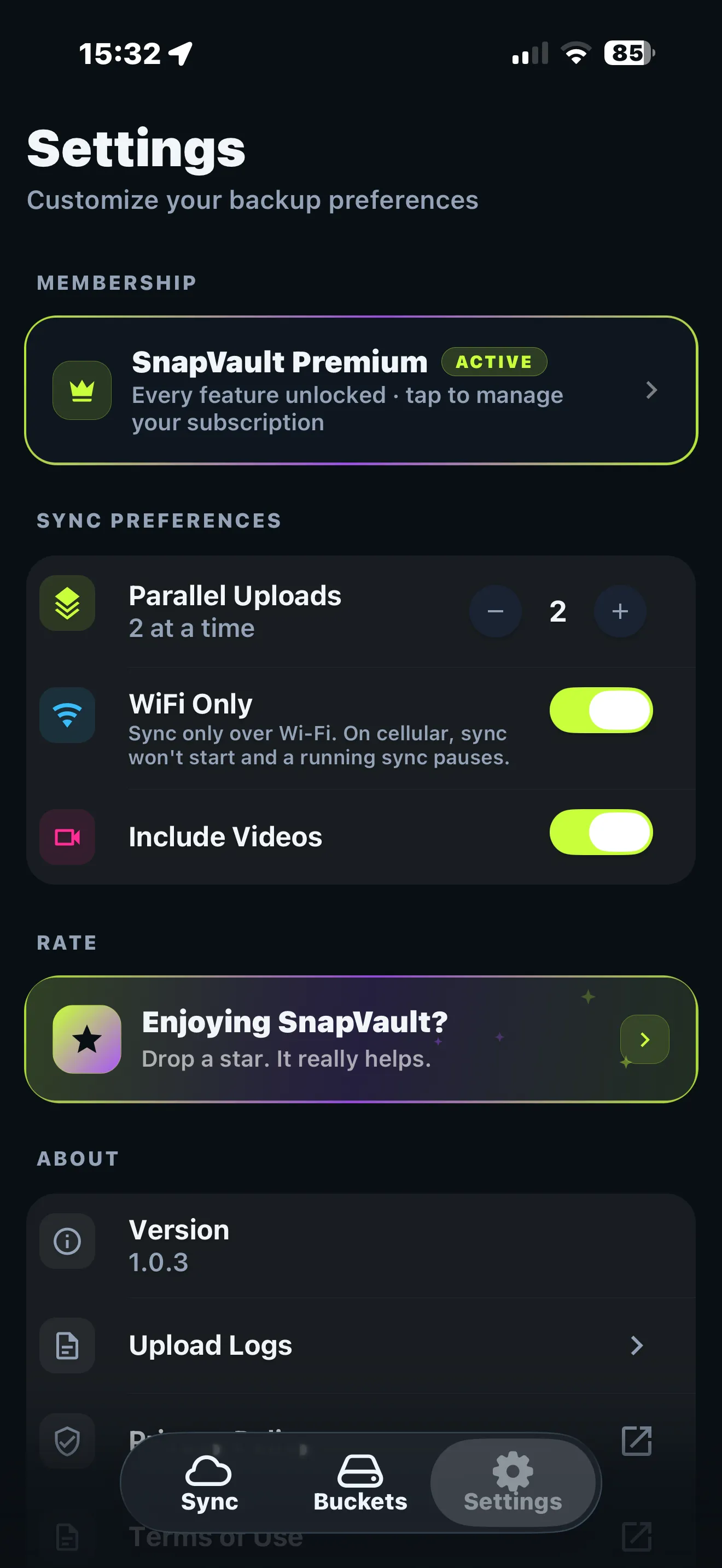
Two uploads at a time, straight to your own bucket, quietly in the background.
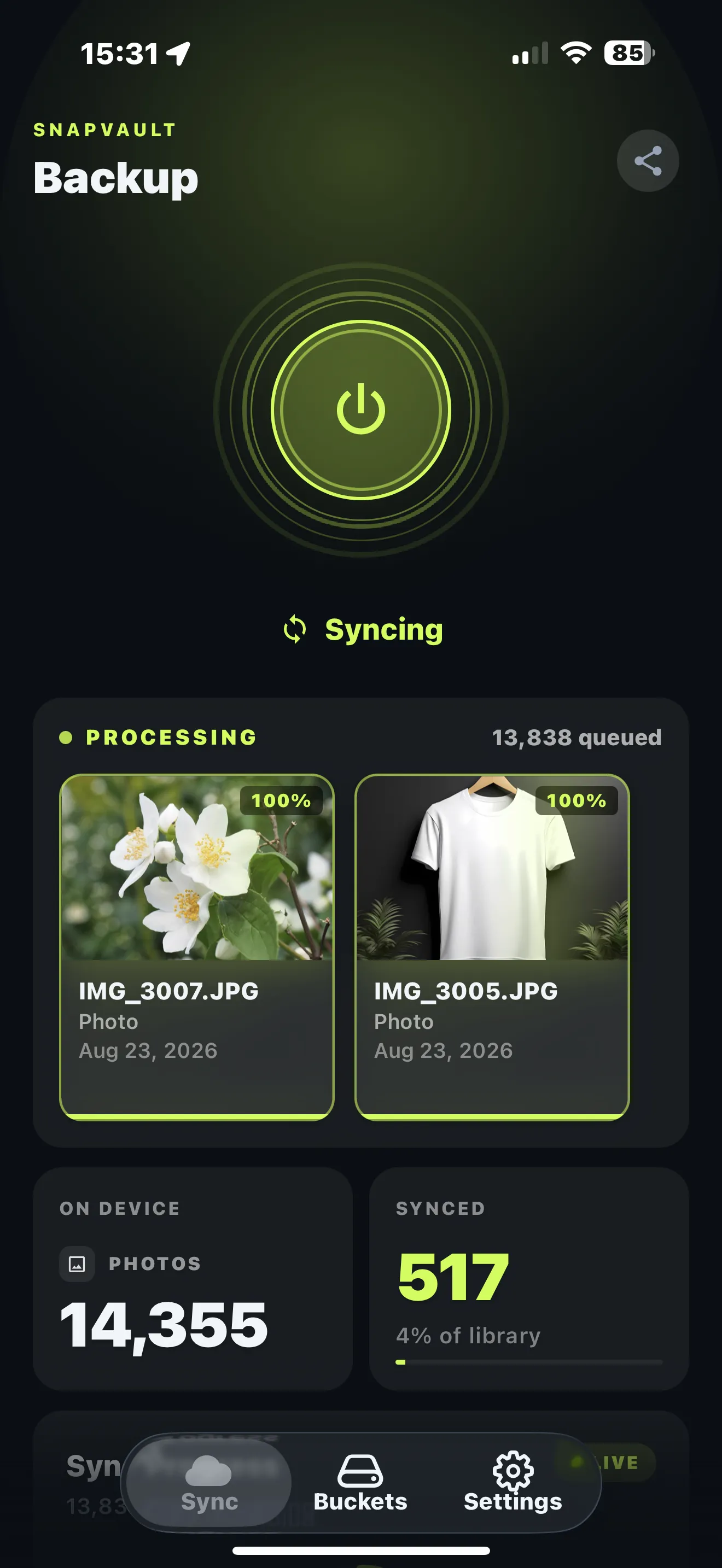
SnapVault is a photo and video backup app for iOS (App Store name "SnapVault: Backup to S3 Cloud") that copies your camera roll to an S3-compatible cloud bucket you own. Instead of renting space through a monthly subscription, you pay once for the app and pay your storage provider directly at wholesale rates, typically around $0.006 per GB per month. You connect your own bucket from any S3-compatible provider, including Cloudflare R2, Backblaze B2, Wasabi, or Amazon S3, using your own keys. Photos and videos upload straight from your phone to your bucket, so they never pass through SnapVault's servers and the company never sees them. Backups run in the background and skip files that are already uploaded, so nothing duplicates. Because the storage account is yours, you keep full access to every file even if you stop using the app. SnapVault is available on iOS, with an Android version in development.
SnapVault is an independent iOS app published by Black Box Code LLC. It is not related to NetApp's SnapVault backup software.
SnapVault is built for people who want their phone photos backed up off-device without committing to a monthly cloud storage plan. Typical users include iPhone owners whose camera roll has outgrown a free tier, families who want one backup destination they control rather than several per-person subscriptions, and technical users who already have an AWS S3, Cloudflare R2, Backblaze B2, Wasabi, or MinIO account and want their phone to write into it directly. Because SnapVault only needs an S3-compatible endpoint, bucket name, and access keys, it also works with self-hosted object storage on a home server or NAS. It is not a photo viewer or a sharing service: it is a background uploader that keeps a copy of every photo and video in a bucket you own, so your library stays yours even if you delete the app.
Monthly storage looks cheap until you add up the years. Miss a payment and you can lose access to your own memories.
Your library is trapped inside one company's app and account. Switching means migrating thousands of files, if it's even possible.
A few thousand photos and a handful of 4K videos blow past the free limit. The only way out they offer is a subscription.
Compared with a monthly cloud storage plan, SnapVault changes three things. First, pricing: the app is a one-time purchase and the only recurring cost is the storage itself, billed by your provider at roughly $0.006 per GB per month instead of a flat tier price. Second, ownership: your photos live in an S3-compatible bucket under your own account, so there is no lock-in, no risk of losing access if a payment fails, and nothing to migrate if you change apps. Third, privacy: uploads go directly from the phone to your bucket, and SnapVault has no server that stores or can read your files. The trade-off is setup. You create a bucket and paste access keys once, a five-minute task the app walks you through, and there is no built-in web gallery or sharing. For a backup that you fully own and pay for once, that trade is the point.
Three steps to a backup that keeps running without you thinking about it. Set it once and forget it for good.
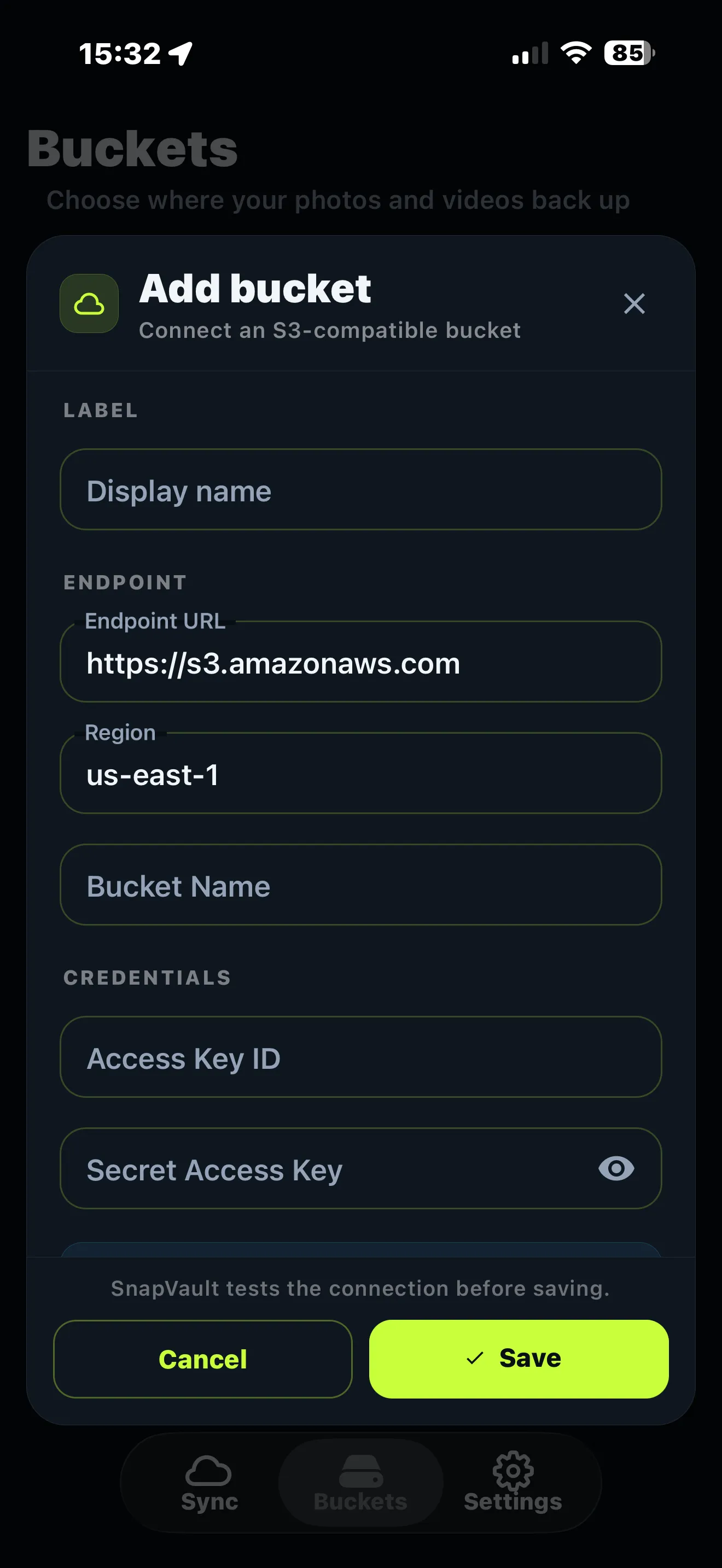
Paste the keys for any S3-compatible provider: Cloudflare R2, Backblaze B2, Wasabi, or Amazon S3. It's yours, with your own billing.
Photos, videos, or both. Choose Wi-Fi only and let SnapVault skip anything already uploaded so nothing duplicates.
Backups continue in the background, even while you sleep. You get a quiet ping when a batch finishes, and that's it.
SnapVault saves money by replacing a monthly cloud storage plan with a one-time app purchase plus wholesale storage you rent directly. The app is priced in your local App Store and never renews.
Storage for a 200 GB photo library on an S3-compatible provider such as Backblaze B2 costs about $1.20 per month at the provider's list price of $0.006 per GB per month (as of August 2026), or roughly $14 per year. A comparable 200 GB monthly cloud storage plan at $2.99 per month costs about $36 per year. Over five years that is about $179 for the monthly plan versus about $72 for your own bucket, a difference of roughly $107 in storage alone, before the one-time app purchase.
Prices are provider list prices and can change; egress and API fees vary by provider, and Cloudflare R2 and Backblaze B2 charge nothing to download your own files within their free limits.
| Year | Monthly cloud plan ($2.99/mo) | Your own bucket (200 GB at $0.006/GB) |
|---|---|---|
| 1 | $36 | $14 |
| 2 | $72 | $29 |
| 3 | $108 | $43 |
| 4 | $144 | $58 |
| 5 | $179 | $72 |
Files live in a cloud account you own and control. No vendor lock-in, no hostage situation. Cancel the app and your library doesn't move an inch.
Backups keep running in the background while you sleep.
Photos upload straight from your phone to your bucket. We never see them.
Only new files upload. SnapVault remembers what's already safe.
Push multiple files at once to clear a big library fast.
Organize backups across more than one bucket or provider.
The app sits idle with your destination bucket, region and library counts in view. Nothing uploads until you tap.
Tap the power button and SnapVault copies the camera roll to your own S3 bucket, several files at a time, showing each one as it goes.
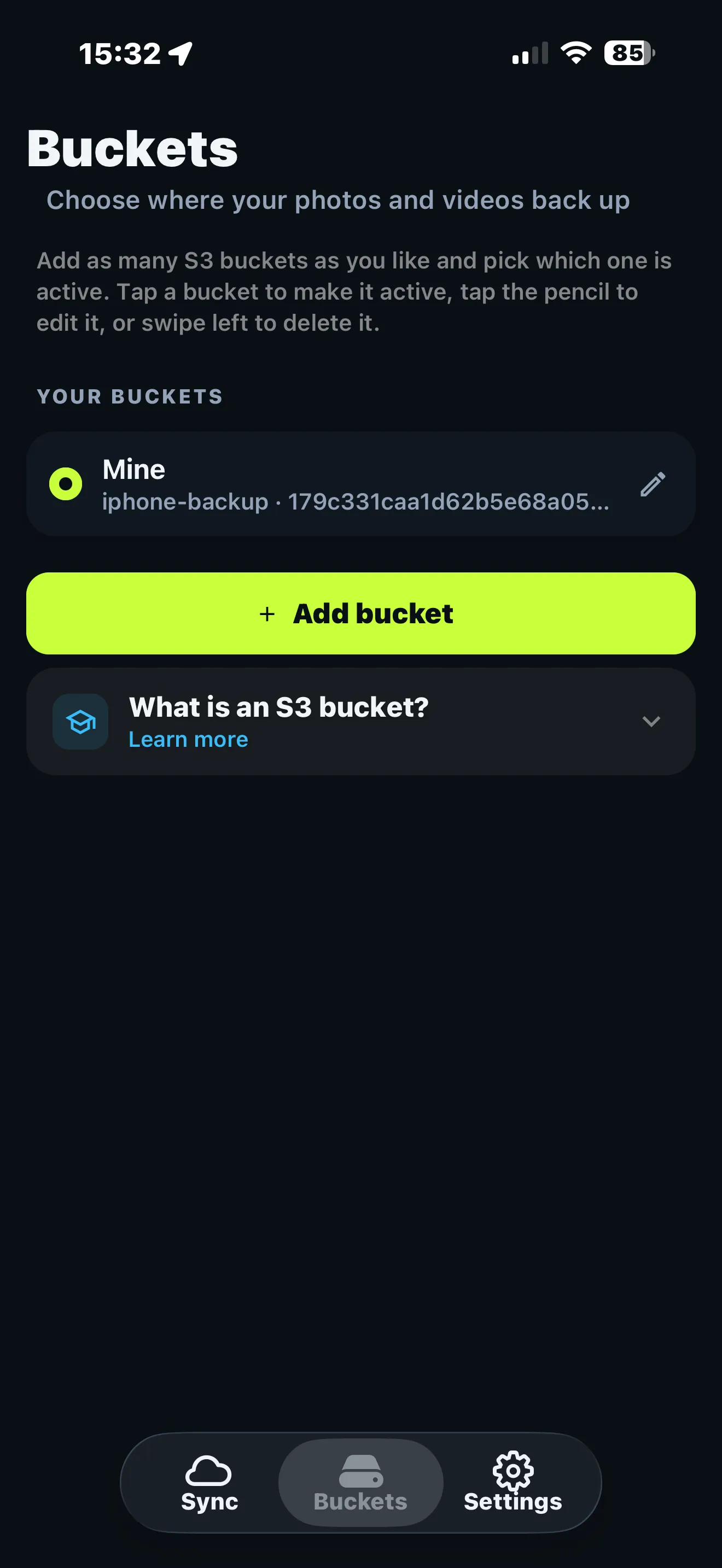
Keep a bucket per phone, per family member or per provider. Tap one to make it active, swipe to remove it.
Wi-Fi only so cellular data stays untouched, uploads in parallel, videos on or off. You set the pace.
Paste an endpoint, region, bucket name and keys. SnapVault tests the connection before saving. Works with AWS S3, Cloudflare R2, Backblaze B2, Wasabi, DigitalOcean Spaces, Vultr and MinIO.
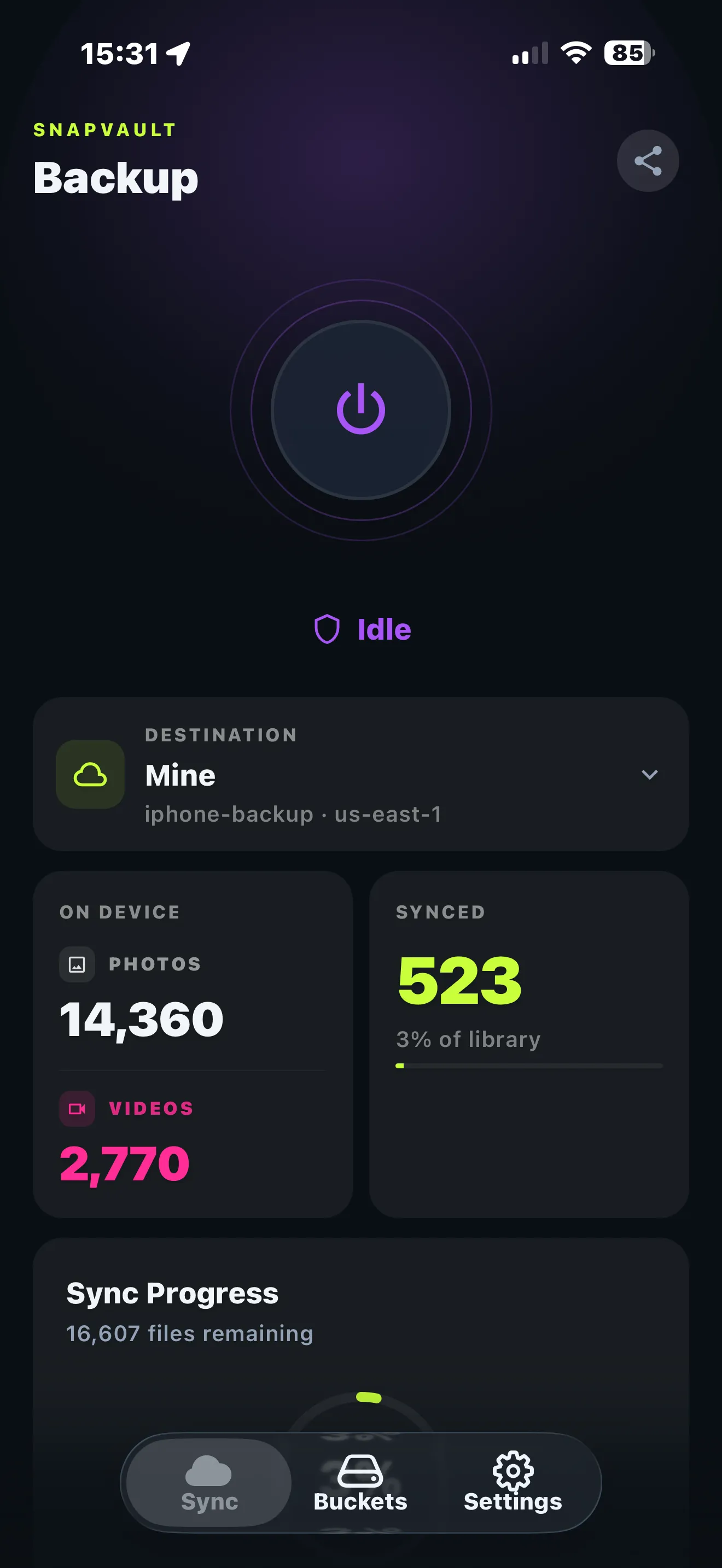
Yes. SnapVault Pro is a one-time purchase on the App Store, priced in your local currency, with no subscription and no recurring fee to us. The only ongoing cost is the cloud storage itself, which your provider bills directly, typically a few dollars a month for a large library and often under $2 per month for 200 GB at S3-compatible list prices. If you stop using SnapVault, you pay nothing extra and your files stay in your bucket.
An S3 bucket is a folder in the cloud that you rent directly from a storage company, such as Amazon S3, Cloudflare R2, Backblaze B2, or Wasabi, at wholesale prices of roughly half a cent per gigabyte per month. "S3-compatible" means the provider speaks the same API as Amazon S3, so any app that can talk to one can talk to all of them. SnapVault connects to your bucket with the access keys you create and copies your photos there. You hold the account and the keys, so you are always in control.
Any S3-compatible storage: Amazon S3, Cloudflare R2, Backblaze B2, Wasabi, and self-hosted MinIO all work. Cloudflare R2 and Backblaze B2 are popular choices because they are inexpensive and do not charge to download your own files within their free allowances. You can also connect more than one bucket or provider and split backups between them.
No. Your photos and videos upload directly from your device to your own bucket. They never touch our servers, and we have no access to your storage account.
Your files stay exactly where they are, in the cloud account you own. Stopping the app never locks you out of your own memories.
SnapVault is live on iOS today. An Android version is on the way. Add yourself to the list and we'll let you know the moment it lands.
One payment. Your own cloud. Memories that stay yours for good. Download SnapVault and connect your first bucket in minutes.